
Online Services and Resources
Alberta Routes Online
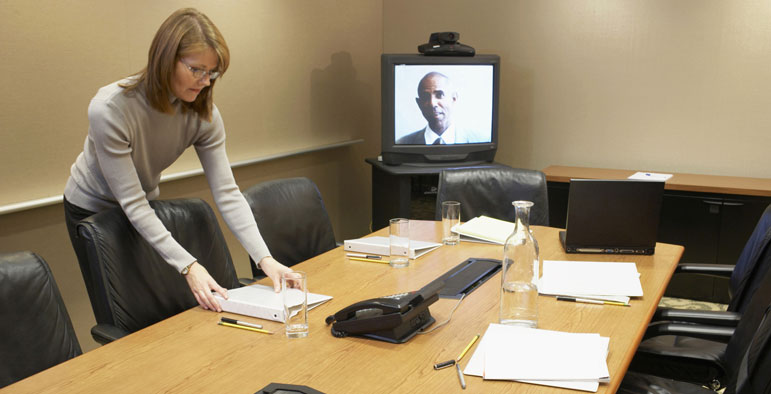 Alberta Routes offers webinars and other online learning opportunities to enhance our in-person delivery of services. Click on the Events tab to see a calendar of our upcoming webinars. All workshop topics can be delivered online and, in some cases, are either condensed into short 1-hour lunch-n-learn sessions or divided into a series of progressive sessions.
Study Groups invite EAL practitioners to explore topics over a series of weekly interactive online sessions to build communities of practice. Some study group topics include
- EAL Tutor Essentials
- ATEAL Best Practices
- Teaching Reading, Writing, Listening, Speaking
- Teaching Grammar
- Foundations for Social Justice
- Colbourne Institute for Inclusive Leadership, NorQuest College
- Volunteer Alberta
- Tutela (Online Community for EAL professionals)
How to Register for Webinars
After selecting a webinar topic from the Events page, follow the appropriate registration procedure below. After successfully registering, you will receive an email from the workshop facilitator 1-2 days before with a link to the online session.-
First time registrants, select Create Profile.
- Use a personal email address. Organization email addresses are not recommended.
- Each registrant should create their own profile. Coordinators should refrain from registering for their staff/volunteers. The College’s web security impedes multiple registrations from the same URL address.
- After your profile has been created, you will receive an email from NorQuest with your account info and a one-time password. Follow instructions to activate your account and change the password.
- Returning registrants. If you have previously attended webinars, you will likely have a Username and Password.
- Complete the registration with your Username and Password.
- Make sure all the contact information in your Student Profile is updated. To update your profile, go to MyQuest on the NorQuest home page, or email AlbertaRoutes@norquest.ca with updates to your email address or phone number. If your home address or last name has changed, you must complete a Request to Correct Personal Information Form and submit it to info@norquest.ca, along with government ID reflecting the update.
- Inactive accounts
- If you have not used your account in the past 18 months, or
- If you are an ex-NorQuest instructor experiencing issues with registration…
- email AlbertaRoutes@norquest.ca with your workshop registration request.
TROUBLESHOOTING FAQS
What is my Username / User ID?- Your User ID is just the name on your @norquest email address (not the entire address). Ex. student@norquest.ca, username: student
I can’t remember my password.
- Reset your password through Computer Commons: https://studenthelp.norquest.ca/studenthelp
- If you’re still having trouble, call Computer Commons 780-644-6100 (M-F, 7AM-5PM)
I registered but didn’t get the webinar link in my email.
- The webinar link is sent to your student and personal email addresses by the facilitator (an Alberta Routes Advisor) 1-2 days before the webinar.
- If you changed email addresses since your last registration, information is likely being sent to your old email. Email AlbertaRoutes@norquest.ca with updates to your email address.
- Check your Spam / Junk mail folder.
- Email Alberta Routes Regional Advisor or AlbertaRoutes@NorQuest.ca
TIPS FOR COMPUTER SET-UP:
- A Google Chrome browser works best.
- Clear the browsing data-- especially if you are using a communal computer.
(Click here for instructions) - Complete all Windows updates, and restart your computer.